













WordPress Survey Plugin

Get Real Feedback. Skip the Subscription.

While other tools charge fees and cap responses, you’ll have a survey form for unlimited submissions to make smarter business decisions. No subscriptions or coding needed.

Everything You Need to Run Surveys and Polls in WordPress

Forget expensive survey software. It’s easier than you think.

Drag & Drop Survey Builder

Build a complete survey in just a few clicks, no code, no setup.

Smart Survey Fields

Likert scales, star ratings, NPS, multiple choice, and matrix questions built in.

Interactive Survey Reports

Live charts, bar graphs, pie charts, and word clouds, generated automatically.

Real-Time Polls

One-click polls with results that update for visitors as votes come in.

Net Promoter Score (NPS)

Drop in an NPS question and get the score calculated for you.

Unlimited Responses

Collect as many responses as you want, on as many surveys as you want.

Smart Conditional Logic

Show or skip questions based on previous answers to keep surveys short.

Anonymous Submissions

Run anonymous surveys to get honest answers, no IP, no name, no email.

2,100+ Templates & Integrations

Start from a survey template and pipe responses to Google Sheets, HubSpot, Mailchimp, and more.

See Surveys and Polls in Action

One survey builder. Endless ways to learn from your audience.

Customer Satisfaction

Send a CSAT survey after every purchase, support ticket, or service appointment, and watch ratings update in your WordPress dashboard in real time.

Customer satisfaction survey with Likert scale and live results in WPForms

NPS & Loyalty

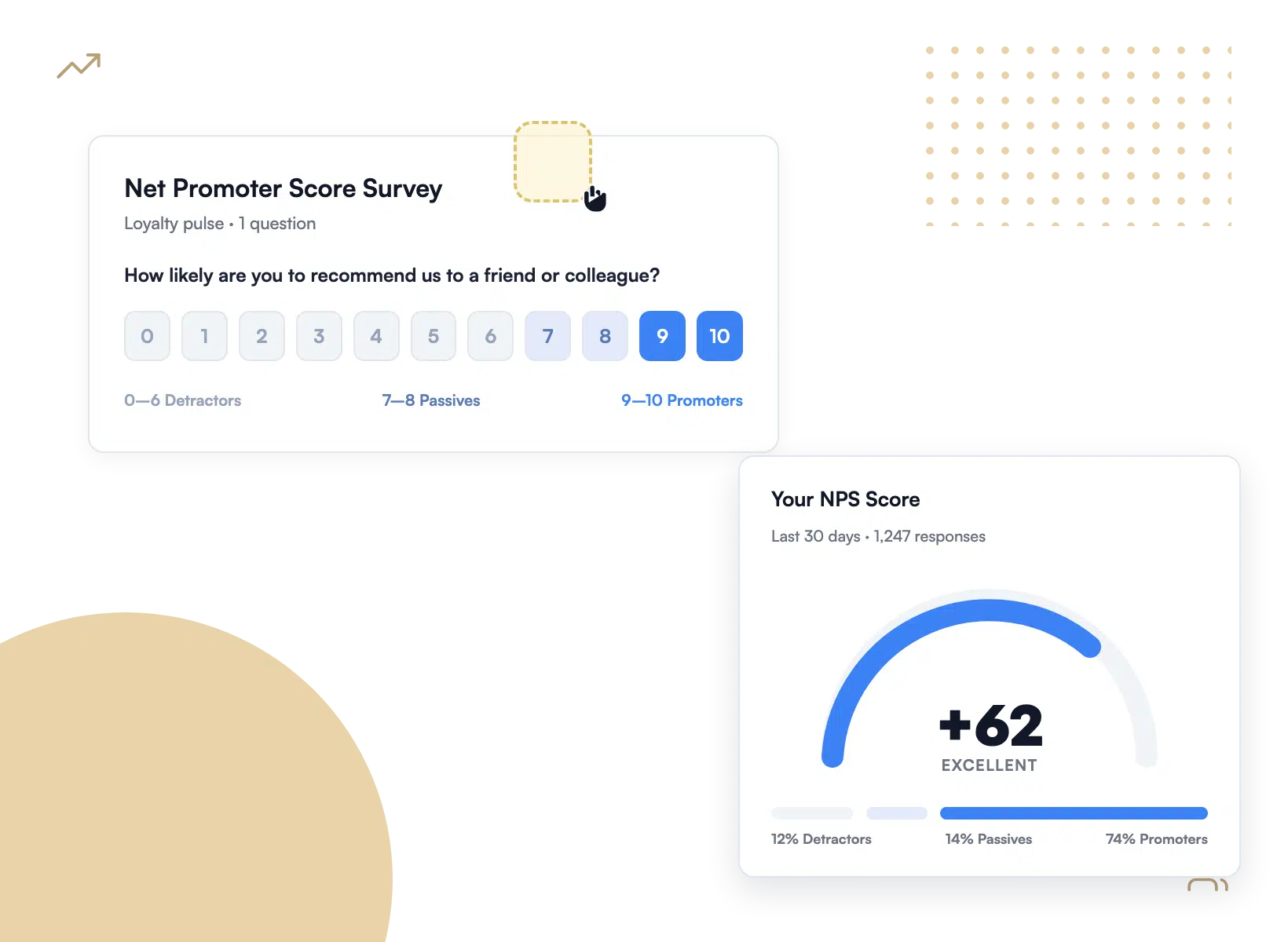
Drop a single NPS question on a thank-you page and let WPForms calculate the score, segment promoters from detractors, and chart the trend over time.

NPS survey field with an auto-calculated Net Promoter Score report

Employee Surveys

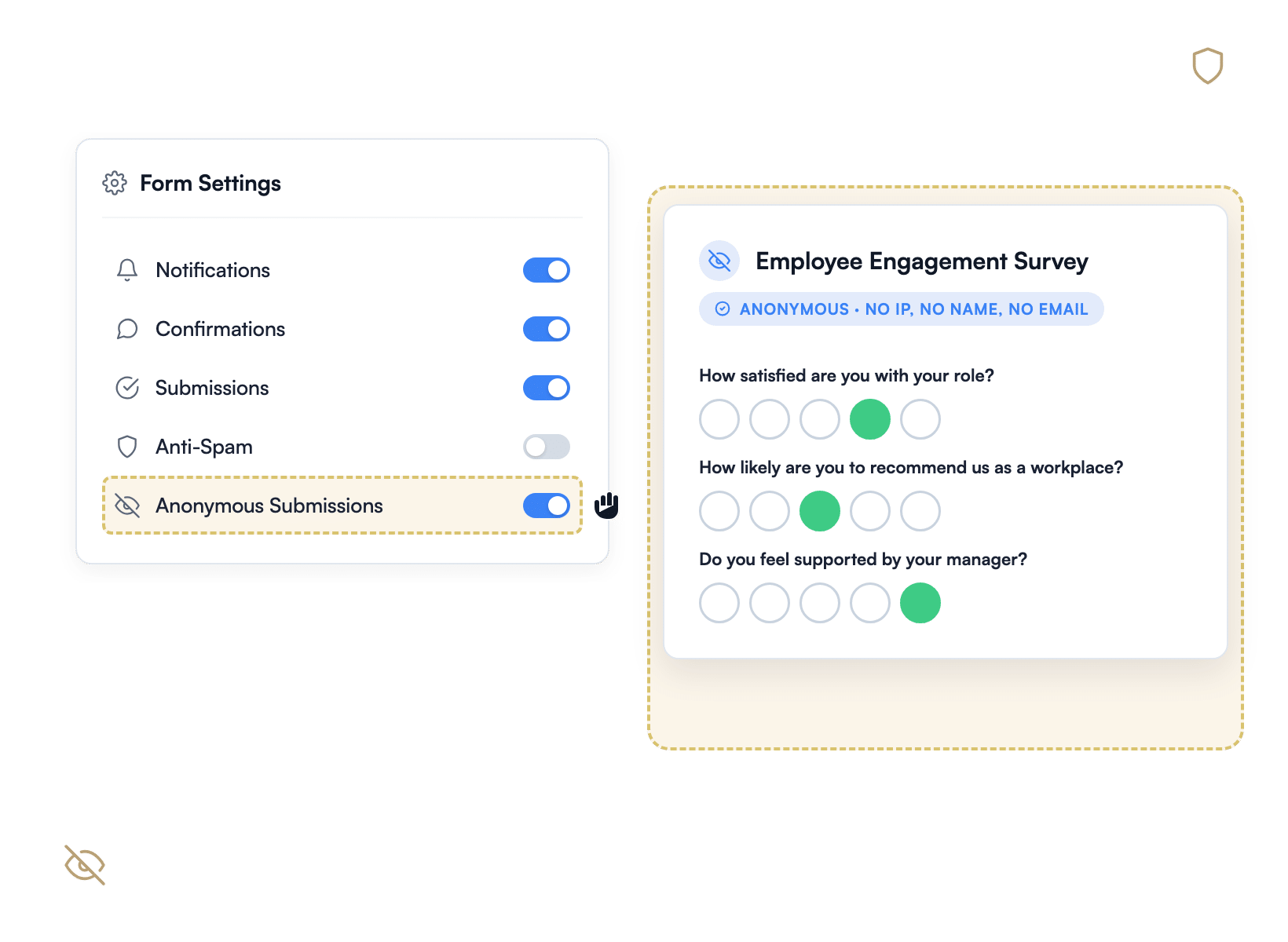
Run engagement, wellness, and exit surveys with anonymous submissions enabled, so your team gives you the honest answers you actually need.

Anonymous employee engagement survey built with WPForms

Polls & Voting

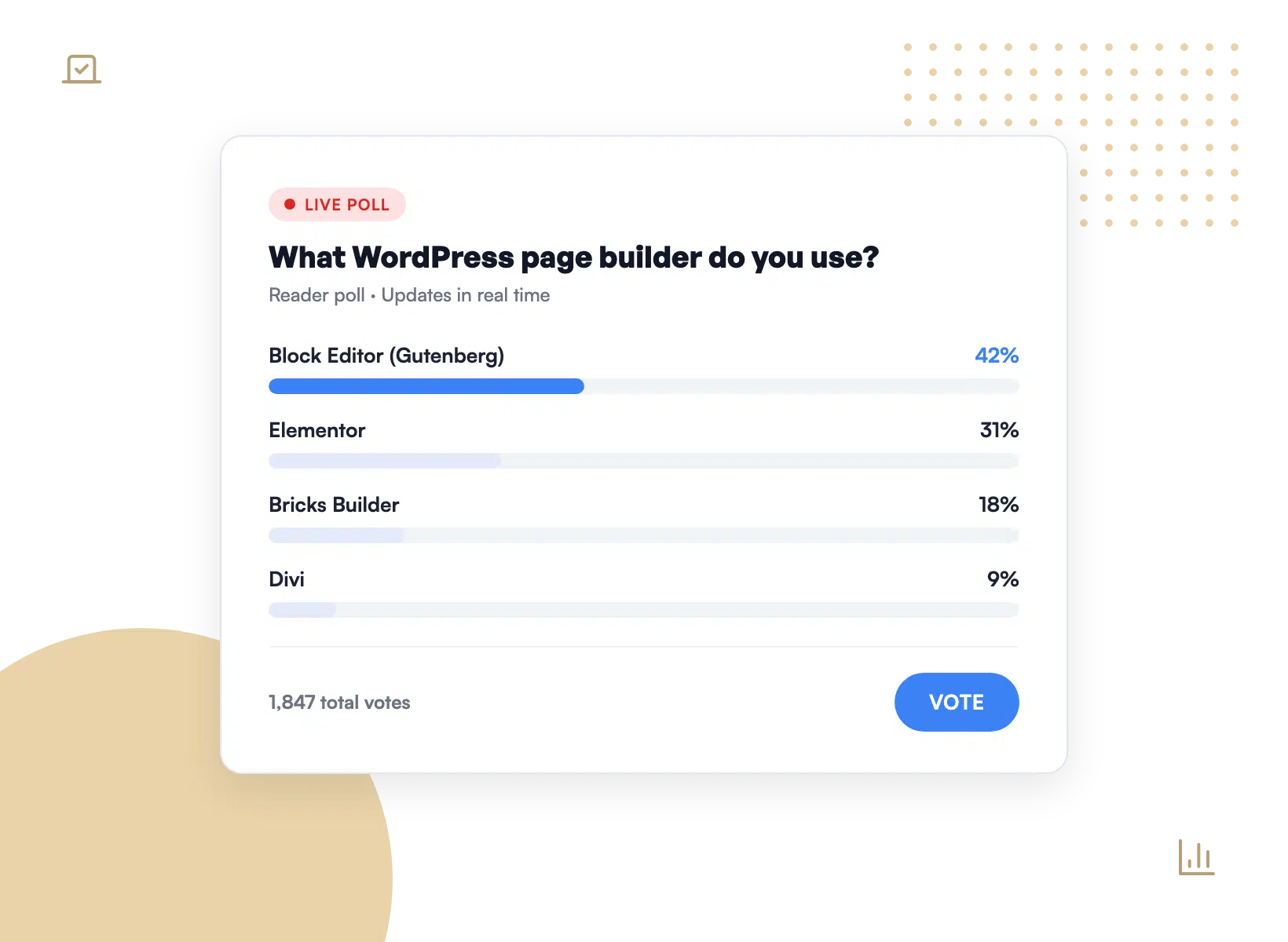
Add a quick poll to any page, post, or sidebar. Visitors vote once, see the live results, and you get clean data inside WordPress.

Live WordPress poll widget showing real-time percentage results

Market Research

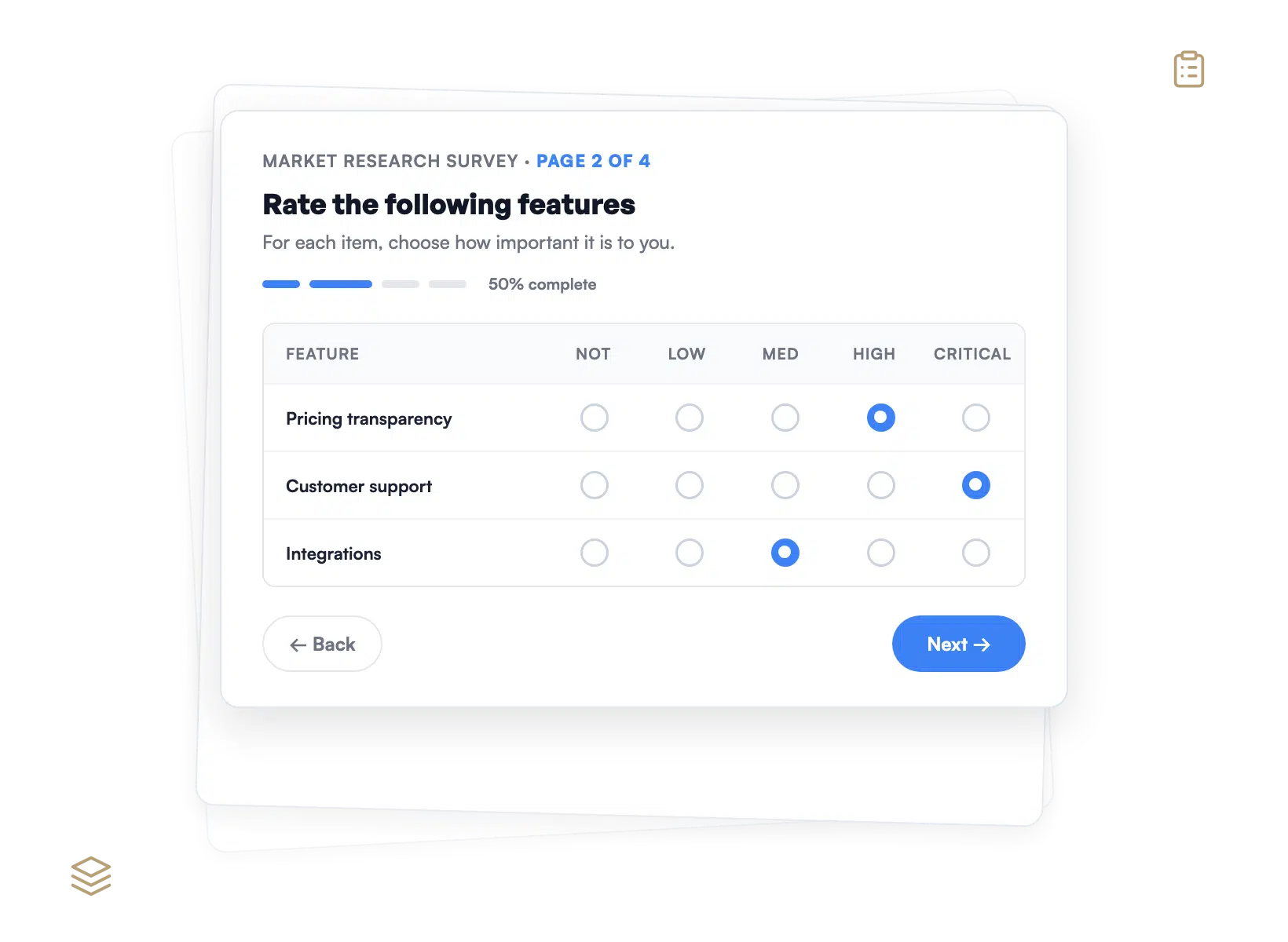
Build long-form research surveys with matrix questions, branching logic, and multi-page flows that keep response rates high.

Multi-page market research survey with a matrix question grid

Why 6 Million+ Websites Trust WPForms

Running surveys shouldn’t mean paying a SaaS bill that grows with every response.

Stop Paying Per-Response Fees

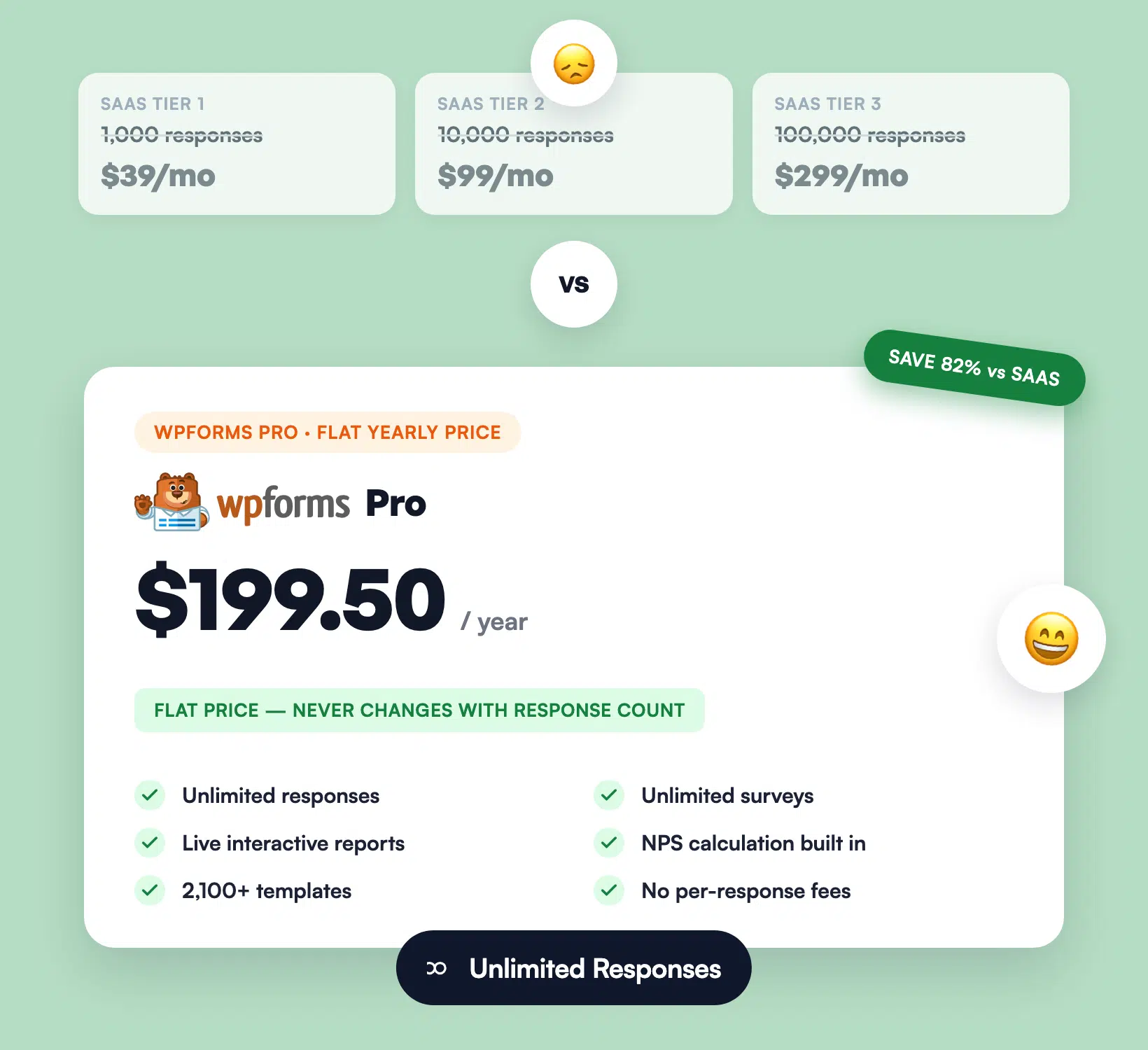
SurveyMonkey, Typeform, and Qualtrics charge by the response, by the seat, or by the month, and the bill grows the more your audience grows. WPForms Surveys and Polls gives you unlimited responses on unlimited surveys for one flat yearly price. Run 100 responses or 100,000. The cost stays the same.

Cost comparison of SaaS per-response pricing versus WPForms flat fee
Interactive WPForms survey report with bar chart, NPS gauge, and word cloud

Get Reports Without Exporting Anywhere

Most survey tools force you to export a CSV, open it in a spreadsheet, and build the chart yourself. WPForms generates interactive reports automatically: bar charts, pie charts, word clouds for open answers, and a real-time NPS calculation, right inside your WordPress dashboard. The story your data tells, on the screen where you already live.

Keep Every Response Inside WordPress

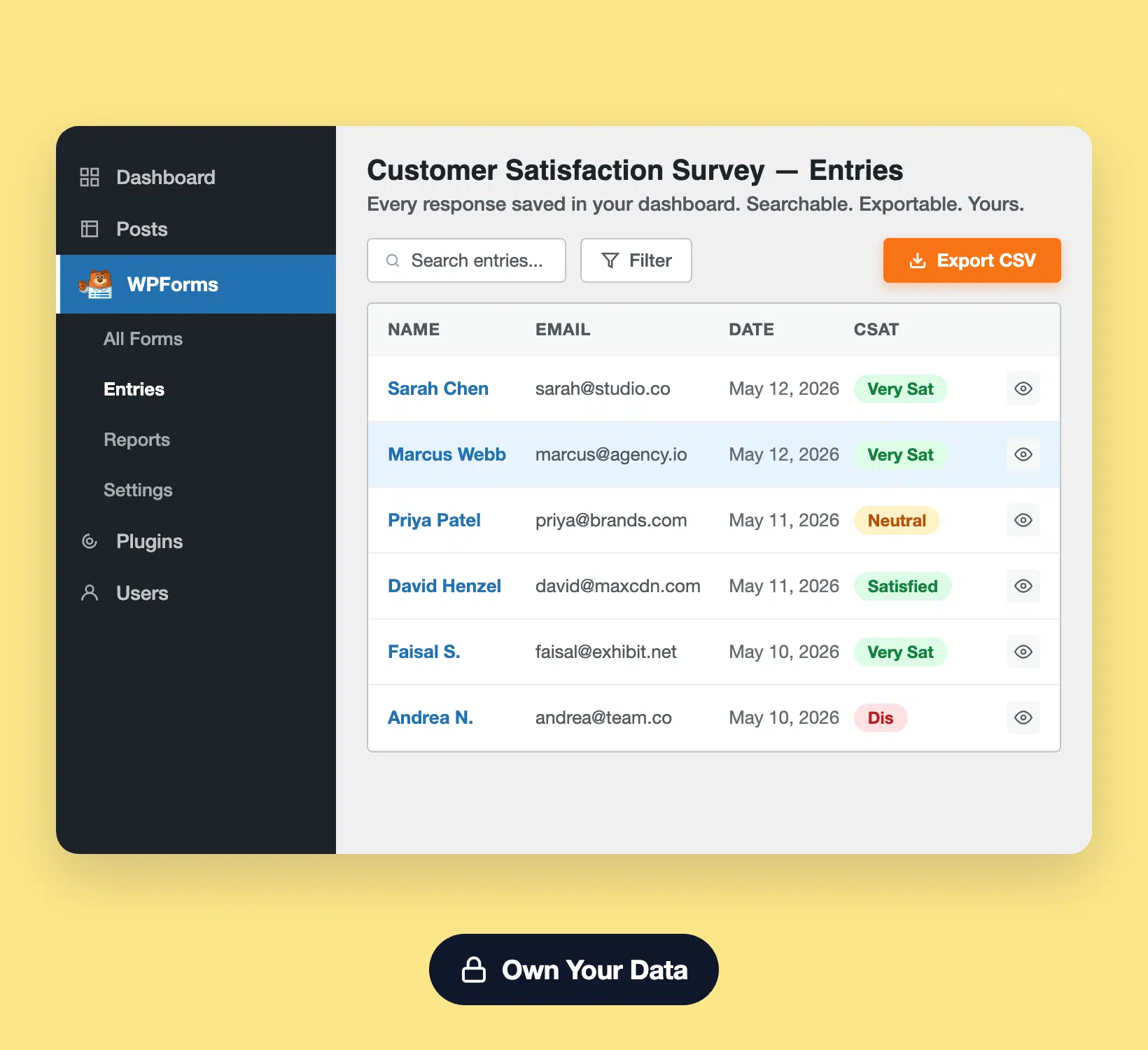
No third-party portal. No separate login. Every survey response saves alongside your other form entries, fully searchable, exportable, and yours forever. If you ever switch tools, your responses stay put. Your customer voice data isn’t a feature you rent. It’s an asset you own.

WordPress entries screen showing WPForms survey responses
Mobile-friendly Likert scale and star-rating survey fields in WPForms

Built for Mobile-First Response

More than 60% of survey responses now come from phones. The WPForms survey builder uses fields engineered for thumbs, not mice: Likert scales scroll smoothly, ratings tap in clean, NPS dials feel native. Your audience answers wherever they are, on whatever they’re holding.

Launch a Survey in Under 5 Minutes

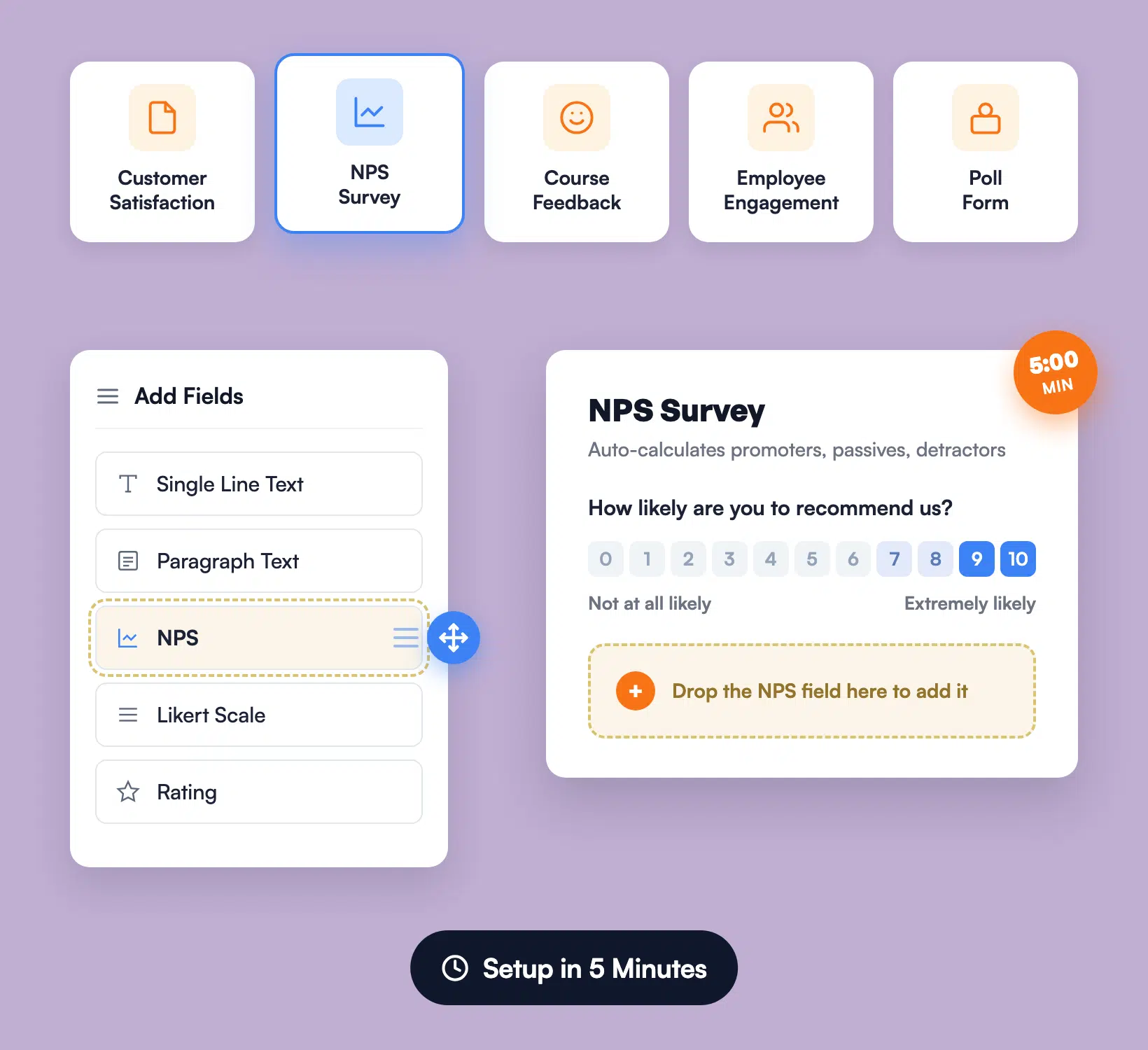
Open the WPForms builder. Pick a survey template. Drop in a Likert, NPS, or rating field. Publish. That’s it. No survey-specific platform to learn. No CSV mapping. No integration setup. If you can build a contact form, you can run a customer feedback program.

WPForms drag-and-drop builder with a survey template and NPS field
WPForms survey connected to Google Sheets, HubSpot, Slack, and Zapier

Connect to Your Whole Stack

Pipe responses to Google Sheets for the weekly review. Push promoter answers to HubSpot or Salesforce so sales follow up. Send detractor responses to Slack so support reaches out. Trigger Zapier, Make, or n8n workflows for anything else. One survey. Every tool in your stack.

View all

Frequently Asked Questions and Resources

Have questions about WPForms Surveys and Polls? We’ve got answers.

How does the WPForms Surveys and Polls addon work?

The WPForms Surveys and Polls addon adds smart survey fields, Likert scales, star ratings, NPS, and multiple choice, plus an interactive reports view to your WordPress dashboard. You drag the fields onto any form, publish it, and watch responses chart automatically as people submit. No third-party portal and no coding required. See the Surveys and Polls addon setup guide.

Does the WPForms survey plugin support NPS surveys?

Yes, WPForms includes a dedicated Net Promoter Score (NPS) field that asks the standard 0 to 10 question and calculates your NPS automatically, segmenting promoters, passives, and detractors with no spreadsheet work. You can drop it on a thank-you page, an email link, or a delight-stage trigger. Read the full guide on how to create an NPS survey in WordPress.

Can I run anonymous surveys with WPForms?

Yes, WPForms surveys support anonymous submissions so you can collect honest employee, exit, or sensitive-topic feedback without storing IP addresses, names, or emails. Toggle anonymous mode on the form’s settings and the entry is recorded without personally identifying data. Learn more in how to create an anonymous feedback survey.

Do WPForms surveys and polls work on phones and tablets?

Yes, WPForms surveys and polls are built mobile-first. Likert scales scroll smoothly on small screens, star ratings tap in cleanly, and NPS scales render at touch-friendly sizes. The same form looks polished on a desktop, a tablet, and a phone with no extra setup.

Which pricing tier unlocks the WPForms Surveys and Polls addon?

The Surveys and Polls addon is included at the Pro tier and above ($199.50/year). Pro covers up to 5 sites with unlimited surveys, unlimited polls, unlimited responses, and full access to the interactive reports view. See the full WPForms pricing page.

Will the Surveys and Polls addon slow down my website?

No, WPForms is engineered for speed and only loads survey assets on pages that contain a survey form. The addon adds a few kilobytes of JavaScript on those specific pages, no global scripts, no heavy iframes, no third-party tracking pixels. Your homepage and other content load at normal speed.

Can I show survey results to my visitors?

Yes, you can publish live, interactive survey reports to any page or post on your WordPress site. Use the survey reports shortcode to display a real-time bar chart, pie chart, or NPS score wherever you want. Polls can also display results to voters immediately after they submit. Learn more about displaying survey results on your site.

How are survey responses stored and can I export them?

Every survey response is saved as a form entry in your WordPress dashboard alongside an interactive report, fully searchable, filterable, and exportable to CSV at any time. You can also pipe responses live to Google Sheets, HubSpot, Salesforce, Mailchimp, or 10,000+ other apps via Zapier. Your data lives on your site, not in a third-party vault.

Can I use conditional logic to branch survey questions?

Yes, you can use Smart Conditional Logic to show or skip questions based on previous answers, so respondents only see the questions relevant to them. That keeps your survey short, your completion rate high, and your data clean. You can also chain multi-page surveys with branching paths.

Do I need a developer to set up surveys in WordPress?

No, setting up a WPForms survey requires no code at all. Install WPForms, activate the Surveys and Polls addon, pick one of the 80+ survey and feedback templates, and publish. Most users ship a working survey form and start collecting responses in under 5 minutes.

Run Smart Surveys. It’s That Simple.

Join the 6,000,000 professionals who use WPForms to collect customer feedback, run live polls, and turn responses into smarter decisions.

✓ 14-Day Money-Back Guarantee · ✓ Setup in Under 5 Minutes · ✓ No Coding Required · ✓ Used on 6,000,000 Sites